
For some listeners, pressing “play” is enough. But for others, knowing exactly who is behind a track is just as important as the music itself. If you are a K-Pop fan, you likely want to know which producing team or choreographer worked on your idol’s latest comeback. If you are a classical or jazz audiophile, knowing the exact conductor, orchestra, and session musicians is non-negotiable.
Unfortunately, standard streaming apps often make finding this information a frustrating experience. While some platforms clearly list every composer and arranger, others hide the data or force you to search externally on Naver or Namuwiki.
This guide breaks down exactly which music streaming apps in Korea – specifically Melon, Bugs, Apple Music, and YouTube Music – offer the deepest metadata, track-by-track credits, and digital booklets, so you can choose the platform that fits your listening habits without the extra hassle.
Comparison of credit & booklet features across major Korean streaming apps
Before diving into the UI experience, let’s look at how the top four platforms in Korea stack up regarding metadata and digital liner notes.
| Platform | Track-by-track details | Role clarity (lyricist, composer, arranger) | Digital booklet support (PDFs) |
| Melon (멜론) | Excellent | Very clear (작사, 작곡, 편곡) | None (focuses on text metadata) |
| Bugs (벅스) | Good | Clear | Yes (available with FLAC downloads) |
| Apple Music | Excellent | Good (sometimes translation issues) | Yes (strongest in classical/jazz) |
| YouTube Music | Poor | Vague or missing | None |
Note: While YouTube Music holds the highest market share in Korea for algorithm-based listening, it is objectively the worst platform if you care about reading album credits.
How easy is it to find composers and arrangers? UI/UX real-world experience
Having data is one thing; how easily you can access it while listening is another. Let’s evaluate the user interface (UI) friction of finding track-specific roles.
Melon: The K-Pop industry standard
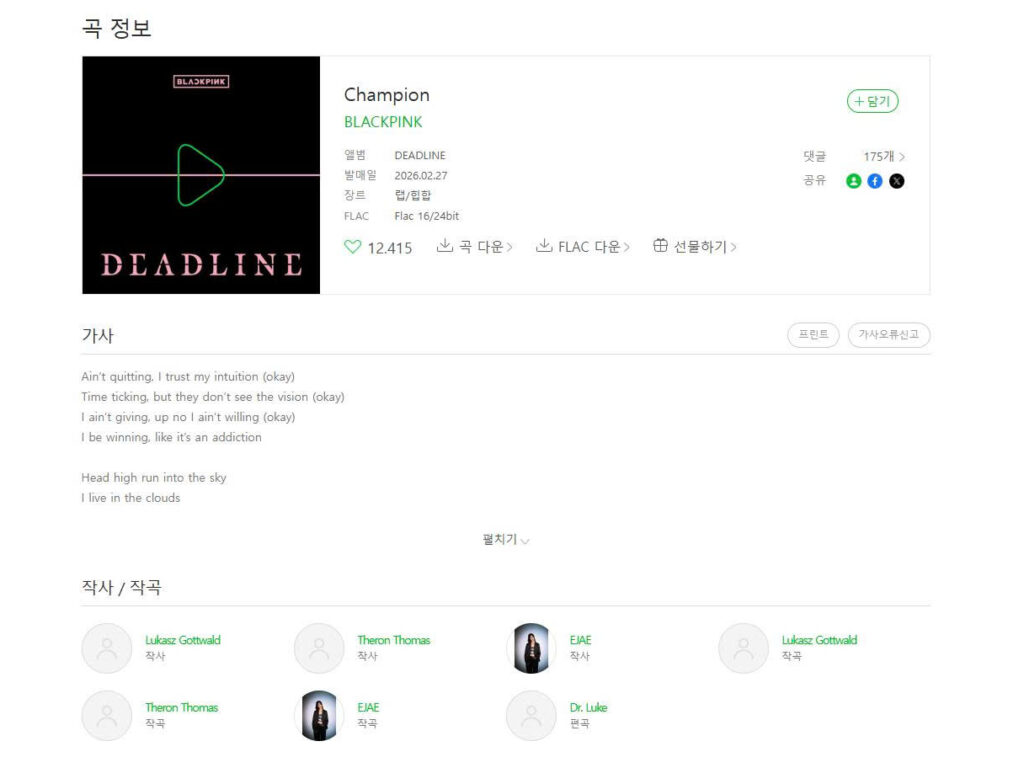
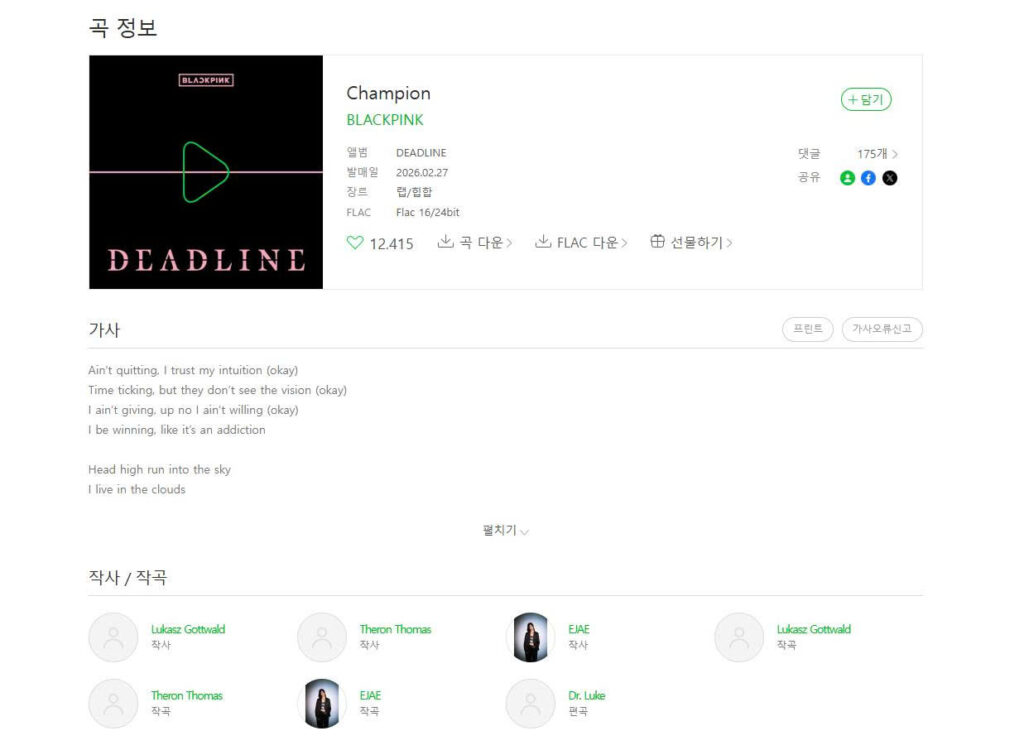
Melon remains the undisputed king of local metadata. When you tap the “곡 정보” (track info) button on any song, Melon cleanly separates the roles using precise Korean industry terms: 작사 (lyricist), 작곡 (composer), and 편곡 (arranger). For K-Pop, it also frequently updates session musician credits (guitars, chorus, drums) and agency information. Everything is accessible with a single tap from the playback screen.
Apple Music: Deep credits with a global lens
Apple Music recently revamped its credit system. By tapping “View credits” from the three-dot menu, you get an incredibly detailed breakdown of performing artists, composition & lyrics, and production & engineering. However, because it is a global app, some highly specific Korean industry roles are occasionally lost in translation or grouped broadly under “producers.”
[Instruction for Writer/Editor – Image placeholder: Recommended first]
Take a side-by-side screenshot using your phone.Left side: Melon’s “곡 정보” screen showing clear 작사/작곡/편곡 for a popular K-Pop song (e.g., an aespa or NewJeans track).Right side: YouTube Music’s playback screen for the exact same song, showing the lack of a dedicated credit button.Caption: “A direct comparison showing how Melon displays detailed track roles while YouTube Music hides them.”
Downloading digital booklets: The strengths of Bugs and Apple Music
Physical albums come with thick photobooks, lyric sheets, and essays (liner notes). In the digital streaming era, if reading these original booklets is part of your experience, your choices narrow down significantly.
Bugs! (벅스): The local audiophile’s choice
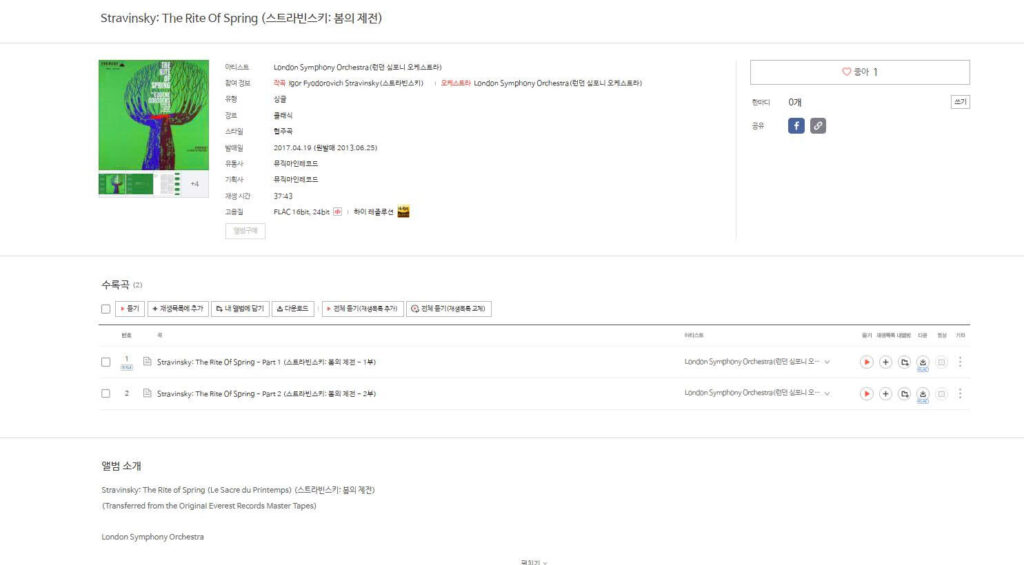
Among Korean platforms, Bugs! is the go-to service for audiophiles. When you purchase and download high-resolution audio (FLAC) from the Bugs store, many classical, jazz, and audiophile-focused releases come with a downloadable digital booklet (PDF). This allows you to keep the original essays and personnel lists directly in your local library.
Apple Music (and Apple Music Classical)
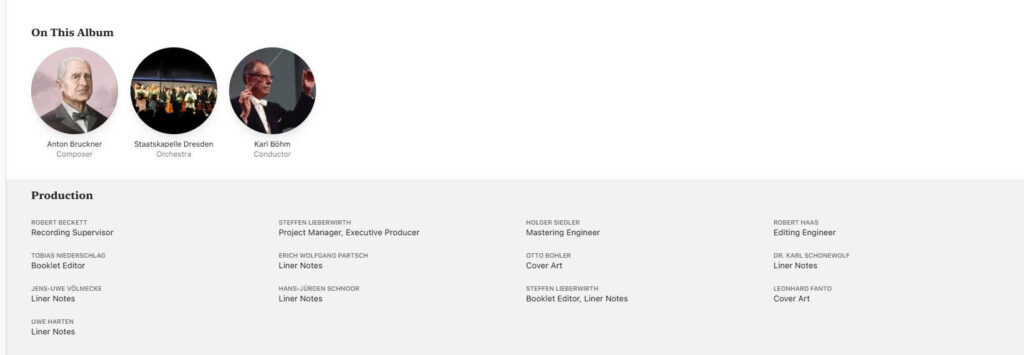
For streaming users, Apple Music provides digital booklets for a curated selection of albums. However, their standalone app, Apple Music Classical, is the ultimate game-changer for classical fans. It doesn’t just offer PDFs; it integrates the liner notes, conductor bios, recording venues, and orchestral rosters directly into the app’s native UI, making it the most comprehensive tool for classical music research.
Genre-based recommendations: The final verdict
Your choice of streaming service should depend entirely on what genre of music you listen to and how much you care about the people behind the scenes.
- If you are a K-Pop fan: Choose Melon or Genie. You need fast, accurate updates on local producer teams, lyricists, and session musicians. Melon’s UI is optimized perfectly for this.
- If you are an audiophile/collector: Choose Bugs. The ability to officially purchase FLAC files alongside permanent PDF digital booklets is unmatched in the local market.
- If you listen to classical, jazz, or global pop: Choose Apple Music. The sheer depth of metadata for Western artists, producers, and classical conductors is far superior to domestic Korean apps.
A final warning on YouTube Music: If you use external library managers (like Roon) or simply love reading credits, do not rely on YouTube Music. If you must use it for its recommendation algorithm, be prepared to keep Namuwiki or the Melon web browser open on the side to verify who actually produced the songs you are listening to.